预订演示
前页 后页

圆形/椭圆形布局

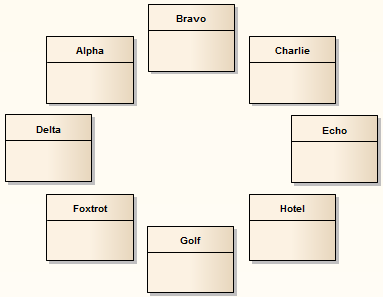
圆形和椭圆形布局将选定的元素排列成圆形或椭圆形,在计算布局圆弧的半径时使用元素集中最大的水平和垂直元素边。
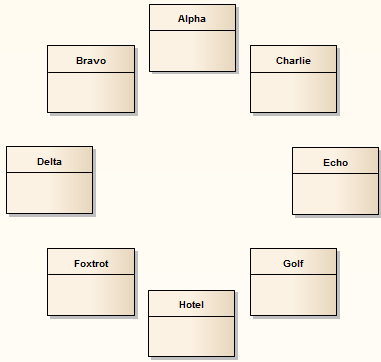
Showing a UML Class diagram where the classes are automatically arranged in a circular layout. Showing a UML Class diagram where the classes are automatically arranged in an elliptical layout.

调用圆形或椭圆布局

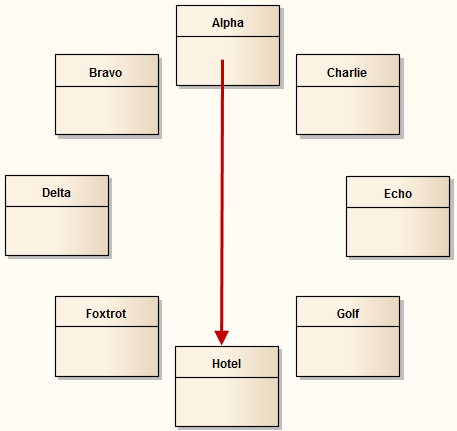
图表A - 从上到下的布局

Showing a UML Class diagram where the classes are automatically arranged in a top-to-bottom circular layout.

行动

也见

1

按照一般布局图表过程进行操作,并在第 2 步根据需要选择“圆形”或“椭圆形”。

布局图表

2

单击“排序依据”字段中的下拉箭头并选择所需的排序参数:

  • 无 - 元素按照其在原始图表上出现的顺序传递到指定的布局(从左到右,从上到下)
  • 区域(升序)- 元素按其占用的屏幕空间从小到大的顺序传递到指定的布局
  • 区域(降序)- 元素按其占据的屏幕空间从大到小的顺序传递到指定的布局
  • 名称(升序) - 根据元素名称,元素按字母数字顺序传递到指定的布局
  • 名称(降序) - 根据元素名称,元素按相反的字母数字顺序传递到指定的布局
  • 元素类型- 元素按类型(例如,类、用例)进行分组,并按名称在组内按字母数字顺序进行分组

3

在“展示位置”选项下,选择:

  • 从上到下 - 元素按所需顺序排列,在圆形或椭圆形的周边呈锯齿状,如图表中A所示
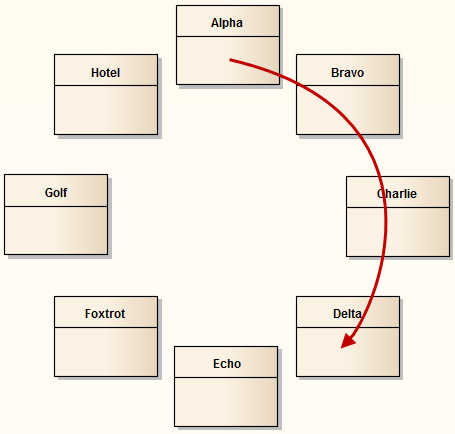
  • 圆形 - 元素按所需顺序排列,沿圆或椭圆的周长顺时针排列,如图表B所示

4

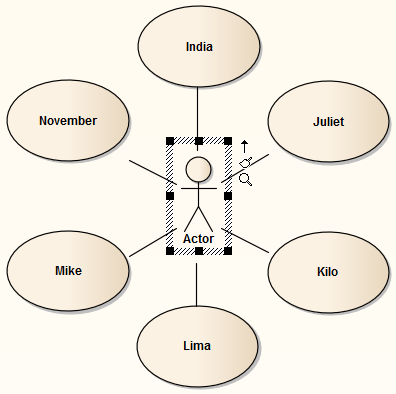
选中“中心聚焦元素”复选框,将最后选定的元素(带有散列边框的元素)放在圆形或椭圆形的中心,如图表C 中所示。

图表B - 圆形布局

Showing a UML Class diagram where the classes are automatically arranged in a clockwise circular layout.

图表C - 中心聚焦元素

Showing a UML Class diagram where the classes are automatically arranged in a circular layout around a central element.